Showing posts with label Publisher: Oreilly. Show all posts

Tuesday, July 10, 2007

Adding Ajax

Adding AjaxTitle: Adding Ajax
First Edition: June 2007
ISBN 10: 0-596-52936-8
ISBN 13: 9780596529369
Pages: 399


Ajax can bring many advantages to an existing web application without forcing you to redo the whole thing. This book explains how you can add Ajax to enhance, rather than replace, the way your application works. For instance, if you have a traditional web application based on submitting a form to update a table, you can enhance it by adding the capability to update the table with changes to the form fields, without actually having to submit the form. That's just one example.

Adding Ajax is for those of you more interested in extending existing applications than in creating Rich Internet Applications (RIA). You already know the "business-side" of applications-web forms, server-side driven pages, and static content-and now you want to make your web pages livelier, more fun, and much more interactive. This book:

  • Provides an overview of Ajax technologies, and the importance of developing a strategy for changing your site before you sit down to code

  • Explains the heart and soul of Ajax: how to work with the XMLHttpRequest object

  • Introduces and demonstrates several important Ajax libraries, including Prototype, script.aculo.us, rico, Mochikit

  • Explores the interactive element that is Ajax, including how to work with events and event handlers that work across browsers

  • Introduces the concept of web page as space, and covers three popular approaches to managing web space

  • Explains how to make data updates, including adding new data, deleting, and making updates, all from within a single page

  • Describes the effects Ajax has on the Web-breaking the back button, losing browser history, dynamic effects that disappear when the page is refreshed, and more

  • Covers advanced CSS effects, including drag and drop "scroll bars", pagination, and the use of SVG and the Canvas object

  • Explores mashups-Ajax's ability to combine data from different web services in any number of ways, directly in our web pages


You don't need to start over to use Ajax. You can simply add to what you already have. This book explains how.

Amazon link: Adding Ajax

Sample Chapter 4: Interactive Effects (PDF Format)

Monday, July 2, 2007

Beautiful Code Leading Programmers Explain How They Think

Beautiful Code

Title: Beautiful Code: Leading Programmers Explain How They Think
First Edition: June 2007
Series: Theory In Practice
ISBN 10: 0-596-51004-7
ISBN 13: 9780596510046
Pages: 618

How do the experts solve difficult problems in software development? In this unique and insightful book, leading computer scientists offer case studies that reveal how they found unusual, carefully designed solutions to high-profile projects. You will be able to look over the shoulder of major coding and design experts to see problems through their eyes.

This is not simply another design patterns book, or another software engineering treatise on the right and wrong way to do things. The authors think aloud as they work through their project's architecture, the tradeoffs made in its construction, and when it was important to break rules. Beautiful Code is an opportunity for master coders to tell their story. All author royalties will be donated to Amnesty International.


Table Of Contents

Foreword
by Greg Wilson

Preface

1. A Regular Expression Matcher
by Brian Kernighan
The Practice of Programming
Implementation
Discussion
Alternatives
Building on It
Conclusion

2. Subversion's Delta Editor: Interface As Ontology
by Karl Fogel
Version Control and Tree Transformation
Expressing Tree Differences
The Delta Editor Interface
But Is It Art?
Abstraction As a Spectator Sport
Conclusions

3. The Most Beautiful Code I Never Wrote
by Jon Bentley
The Most Beautiful Code I Ever Wrote
More and More with Less and Less
Perspective
What Is Writing?
Conclusion
Acknowledgments

4. Finding Things
by Tim Bray
On Time
Problem: Weblog Data
Problem: Who Fetched What, When?
Search in the Large
Conclusion

5. Correct, Beautiful, Fast (in That Order): Lessons from Designing XML Verifiers
by Elliotte Rusty Harold
The Role of XML Validation
The Problem
Version 1: The Naïve Implementation
Version 2: Imitating the BNF Grammar O(N)
Version 3: First Optimization O(log N)
Version 4: Second Optimization: Don't Check Twice
Version 5: Third Optimization O(1)
Version 6: Fourth Optimization: Caching
The Moral of the Story

6. Framework for Integrated Test: Beauty Through Fragility
by Michael Feathers
An Acceptance Testing Framework in Three Classes
The Challenge of Framework Design
An Open Framework
How Simple Can an HTML Parser Be?
Conclusion

7. Beautiful Tests
by Alberto Savoia
That Pesky Binary Search
Introducing JUnit
Nailing Binary Search
Conclusion

8. On-the-Fly Code Generation for Image Processing
by Charles Petzold

9. Top Down Operator Precedence
by Douglas Crockford
JavaScript
Symbol Table
Tokens
Precedence
Expressions
Infix Operators
Prefix Operators
Assignment Operators
Constants
Scope
Statements
Functions
Array and Object Literals
Things to Do and Think About

10. The Quest for an Accelerated Population Count
by Henry S. Warren, Jr.
Basic Methods
Divide and Conquer
Other Methods
Sum and Difference of Population Counts of Two Words
Comparing the Population Counts of Two Words
Counting the 1-Bits in an Array
Applications

11. Secure Communication: The Technology Of Freedom
by Ashish Gulhati
The Heart of the Start
Untangling the Complexity of Secure Messaging
Usability Is the Key
The Foundation
The Test Suite
The Functioning Prototype
Clean Up, Plug In, Rock On . . .
Hacking in the Himalayas
The Invisible Hand Moves
Speed Does Matter
Communications Privacy for Individual Rights
Hacking the Civilization

12. Growing Beautiful Code in BioPerl
by Lincoln Stein
BioPerl and the Bio::Graphics Module
The Bio::Graphics Design Process
Extending Bio::Graphics
Conclusions and Lessons Learned

13. The Design of the Gene Sorter
by Jim Kent
The User Interface of the Gene Sorter
Maintaining a Dialog with the User over the Web
A Little Polymorphism Can Go a Long Way
Filtering Down to Just the Relevant Genes
Theory of Beautiful Code in the Large
Conclusion

14. How Elegant Code Evolves with Hardware: The Case of Gaussian Elimination
by Jack Dongarra and Piotr Luszczek
The Effects of Computer Architectures on Matrix Algorithms
A Decompositional Approach
A Simple Version
LINPACK's DGEFA Subroutine
LAPACK DGETRF
Recursive LU
ScaLAPACK PDGETRF
Multithreading for Multi-Core Systems
A Word About the Error Analysis and Operation Count
Future Directions for Research
Further Reading

15. The Long-Term Benefits of Beautiful Design
by Adam Kolawa
My Idea of Beautiful Code
Introducing the CERN Library
Outer Beauty
Inner Beauty
Conclusion

16. The Linux Kernel Driver Model: The Benefits of Working Together
by Greg Kroah-Hartman
Humble Beginnings
Reduced to Even Smaller Bits
Scaling Up to Thousands of Devices
Small Objects Loosely Joined

17. Another Level of Indirection
by Diomidis Spinellis
From Code to Pointers
From Function Arguments to Argument Pointers
From Filesystems to Filesystem Layers
From Code to a Domain-Specific Language
Multiplexing and Demultiplexing
Layers Forever?

18. Python's Dictionary Implementation: Being All Things to All People
by Andrew Kuchling
Inside the Dictionary
Special Accommodations
Collisions
Resizing
Iterations and Dynamic Changes
Conclusion
Acknowledgments

19. Multidimensional Iterators in NumPy
by Travis E. Oliphant
Key Challenges in N-Dimensional Array Operations
Memory Models for an N-Dimensional Array
NumPy Iterator Origins
Iterator Design
Iterator Interface
Iterator Use
Conclusion

20. A Highly Reliable Enterprise System for NASA's Mars Rover Mission
by Ronald Mak
The Mission and the Collaborative Information Portal
Mission Needs
System Architecture
Case Study: The Streamer Service
Reliability
Robustness
Conclusion

21. ERP5: Designing for Maximum Adaptability
by Rogerio Atem de Carvalho and Rafael Monnerat
General Goals of ERP
ERP5
The Underlying Zope Platform
ERP5 Project Concepts
Coding the ERP5 Project
Conclusion

22. A Spoonful of Sewage
by Bryan Cantrill

23. Distributed Programming with MapReduce
by Jeffrey Dean and Sanjay Ghemawat
A Motivating Example
The MapReduce Programming Model
Other MapReduce Examples
A Distributed MapReduce Implementation
Extensions to the Model
Conclusion
Further Reading
Acknowledgments
Appendix: Word Count Solution

24. Beautiful Concurrency
by Simon Peyton Jones
A Simple Example: Bank Accounts
Software Transactional Memory
The Santa Claus Problem
Reflections on Haskell
Conclusion
Acknowledgments

25. Syntactic Abstraction: The syntax-case Expander
by R. Kent Dybvig
Brief Introduction to syntax-case
Expansion Algorithm
Example
Conclusion

26. Labor-Saving Architecture: An Object-Oriented Framework for Networked Software
by William R. Otte and Douglas C. Schmidt
Sample Application: Logging Service
Object-Oriented Design of the Logging Server Framework
Implementing Sequential Logging Servers
Implementing Concurrent Logging Servers
Conclusion

27. Integrating Business Partners the RESTful Way
by Andrew Patzer
Project Background
Exposing Services to External Clients
Routing the Service Using the Factory Pattern
Exchanging Data Using E-Business Protocols
Conclusion

28. Beautiful Debugging
by Andreas Zeller
Debugging a Debugger
A Systematic Process
A Search Problem
Finding the Failure Cause Automatically
Delta Debugging
Minimizing Input
Hunting the Defect
A Prototype Problem
Conclusion
Acknowledgments
Further Reading

29. Treating Code As an Essay
by Yukihiro Matsumoto

30. When a Button Is All That Connects You to the World
by Arun Mehta
Basic Design Model
Input Interface
Efficiency of the User Interface
Download
Future Directions

31. Emacspeak: The Complete Audio Desktop
by T. V. Raman
Producing Spoken Output
Speech-Enabling Emacs
Painless Access to Online Information
Summary
Acknowledgments

32. Code in Motion
by Laura Wingerd and Christopher Seiwald
On Being "Bookish"
Alike Looking Alike
The Perils of Indentation
Navigating Code
The Tools We Use
DiffMerge's Checkered Past
Conclusion
Acknowledgments
Further Reading

33. Writing Programs for "The Book"
by Brian Hayes
The Nonroyal Road
Warning to Parenthophobes
Three in a Row
The Slippery Slope
The Triangle Inequality
Meandering On
"Duh!"-I Mean "Aha!"
Conclusion
Further Reading

Afterword
by Andy Oram

Contributors
index


Sample Chapter: Chapter 4: Finding Things (PDF Format)

Amazon Link: Beautiful Code: Leading Programmers Explain How They Think

Sunday, April 22, 2007

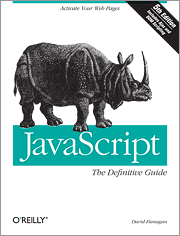
JavaScript: The Definitive Guide By David Flanagan


This is the latest edition of O'Reilly's bestselling JavaScript book: JavaScript: The Definitive Guide. This is the 5th edition already and it is completely updated to include web 2.0 stuff like Ajax.


Title: JavaScript: The Definitive Guide
Fifth Edition: August 2006
Author: David Flanagan
ISBN: 0-596-10199-6
Pages: 1018

This Fifth Edition is completely revised and expanded to cover JavaScript as it is used in today's Web 2.0 applications. This book is both an example-driven programmer's guide and a keep-on-your-desk reference, with new chapters that explain everything you need to know to get the most out of JavaScript, including:

Scripted HTTP and Ajax
XML processing
Client-side graphics using the tag
Namespaces in JavaScript--essential when writing complex programs
Classes, closures, persistence, Flash, and JavaScript embedded in Java applications
Part I explains the core JavaScript language in detail. If you are new to JavaScript, it will teach you the language. If you are already a JavaScript programmer, Part I will sharpen your skills and deepen your understanding of the language.

Part II explains the scripting environment provided by web browsers, with a focus on DOM scripting with unobtrusive JavaScript. The broad and deep coverage of client-side JavaScript is illustrated with many sophisticated examples that demonstrate how to:

Generate a table of contents for an HTML document
Display DHTML animations
Automate form validation
Draw dynamic pie charts
Make HTML elements draggable
Define keyboard shortcuts for web applications
Create Ajax-enabled tool tips
Use XPath and XSLT on XML documents loaded with Ajax
And much more
Part III is a complete reference for core JavaScript. It documents every class, object, constructor, method, function, property, and constant defined by JavaScript 1.5 and ECMAScript version 3.

Part IV is a reference for client-side JavaScript, covering legacy web browser APIs, the standard Level 2 DOM API, and emerging standards such as the XMLHttpRequest object and the tag.

Sample Chapter 21: JavaScript and XML

Amazon Link: JavaScript: The Definitive Guide


Table Of Contents


1. Introduction to JavaScript
1.1 What Is JavaScript?
1.2 Versions of JavaScript
1.3 Client-Side JavaScript
1.4 JavaScript in Other Contexts
1.5 Exploring JavaScript
Part I. Core JavaScript
2. Lexical Structure
2.1 Character Set
2.2 Case Sensitivity
2.3 Whitespace and Line Breaks
2.4 Optional Semicolons
2.5 Comments
2.6 Literals
2.7 Identifiers
2.8 Reserved Words
3. Datatypes and Values
3.1 Numbers
3.2 Strings
3.3 Boolean Values
3.4 Functions
3.5 Objects
3.6 Arrays
3.7 null
3.8 undefined
3.9 The Date Object
3.10 Regular Expressions
3.11 Error Objects
3.12 Type Conversion Summary
3.13 Primitive Datatype Wrapper Objects
3.14 Object-to-Primitive Conversion
3.15 By Value Versus by Reference
4. Variables
4.1 Variable Typing
4.2 Variable Declaration
4.3 Variable Scope
4.4 Primitive Types and Reference Types
4.5 Garbage Collection
4.6 Variables as Properties
4.7 Variable Scope Revisited
5. Expressions and Operators
5.1 Expressions
5.2 Operator Overview
5.3 Arithmetic Operators
5.4 Equality Operators
5.5 Relational Operators
5.6 String Operators
5.7 Logical Operators
5.8 Bitwise Operators
5.9 Assignment Operators
5.10 Miscellaneous Operators
6. Statements
6.1 Expression Statements
6.2 Compound Statements
6.3 if
6.4 else if
6.5 switch
6.6 while
6.7 do/while
6.8 for
6.9 for/in
6.10 Labels
6.11 break
6.12 continue
6.13 var
6.14 function
6.15 return
6.16 throw
6.17 try/catch/finally
6.18 with
6.19 The Empty Statement
6.20 Summary of JavaScript Statements
7. Objects and Arrays
7.1 Creating Objects
7.2 Object Properties
7.3 Objects as Associative Arrays
7.4 Universal Object Properties and Methods
7.5 Arrays
7.6 Reading and Writing Array Elements
7.7 Array Methods
7.8 Array-Like Objects
8. Functions
8.1 Defining and Invoking Functions
8.2 Function Arguments
8.3 Functions as Data
8.4 Functions as Methods
8.5 Constructor Functions
8.6 Function Properties and Methods
8.7 Utility Function Examples
8.8 Function Scope and Closures
8.9 The Function( ) Constructor
9. Classes, Constructors, and Prototypes
9.1 Constructors
9.2 Prototypes and Inheritance
9.3 Simulating Classes in JavaScript
9.4 Common Object Methods
9.5 Superclasses and Subclasses
9.6 Extending Without Inheriting
9.7 Determining Object Type
9.8 Example: A defineClass( ) Utility Method
10. Modules and Namespaces
10.1 Creating Modules and Namespaces
10.2 Importing Symbols from Namespaces
10.3 Module Utilities
11. Pattern Matching with Regular Expressions
11.1 Defining Regular Expressions
11.2 String Methods for Pattern Matching
11.3 The RegExp Object
12. Scripting Java
12.1 Embedding JavaScript
12.2 Scripting Java
Part II. Client-Side JavaScript
13. JavaScript in Web Browsers
13.1 The Web Browser Environment
13.2 Embedding Scripts in HTML
13.3 Event Handlers in HTML
13.4 JavaScript in URLs
13.5 Execution of JavaScript Programs
13.6 Client-Side Compatibility
13.7 Accessibility
13.8 JavaScript Security
13.9 Other Web-Related JavaScript Embeddings
14. Scripting Browser Windows
14.1 Timers
14.2 Browser Location and History
14.3 Obtaining Window, Screen, and Browser Information
14.4 Opening and Manipulating Windows
14.5 Simple Dialog Boxes
14.6 Scripting the Status Line
14.7 Error Handling
14.8 Multiple Windows and Frames
14.9 Example: A Navigation Bar in a Frame
15. Scripting Documents
15.1 Dynamic Document Content
15.2 Document Properties
15.3 Legacy DOM: Document Object Collections
15.4 Overview of the W3C DOM
15.5 Traversing a Document
15.6 Finding Elements in a Document
15.7 Modifying a Document
15.8 Adding Content to a Document
15.9 Example: A Dynamically Created Table of Contents
15.10 Querying Selected Text
15.11 The IE 4 DOM
16. Cascading Style Sheets and Dynamic HTML
16.1 Overview of CSS
16.2 CSS for DHTML
16.3 Scripting Inline Styles
16.4 Scripting Computed Styles
16.5 Scripting CSS Classes
16.6 Scripting Stylesheets
17. Events and Event Handling
17.1 Basic Event Handling
17.2 Advanced Event Handling with DOM Level 2
17.3 The Internet Explorer Event Model
17.4 Mouse Events
17.5 Key Events
17.6 The onload Event
17.7 Synthetic Events
18. Forms and Form Elements
18.1 The Form Object
18.2 Defining Form Elements
18.3 Scripting Form Elements
18.4 Form Verification Example
19. Cookies and Client-Side Persistence
19.1 An Overview of Cookies
19.2 Storing Cookies
19.3 Reading Cookies
19.4 Cookie Example
19.5 Cookie Alternatives
19.6 Persistent Data and Security
20. Scripting HTTP
20.1 Using XMLHttpRequest
20.2 XMLHttpRequest Examples and Utilities
20.3 Ajax and Dynamic Scripting
20.4 Scripting HTTP with script Tags
21. JavaScript and XML
21.1 Obtaining XML Documents
21.2 Manipulating XML with the DOM API
21.3 Transforming XML with XSLT
21.4 Querying XML with XPath
21.5 Serializing XML
21.6 Expanding HTML Templates with XML Data
21.7 XML and Web Services
21.8 E4X: ECMAScript for XML
22. Scripted Client-Side Graphics
22.1 Scripting Images
22.2 Graphics with CSS
22.3 SVG: Scalable Vector Graphics
22.4 VML: Vector Markup Language
22.5 Graphics in a
22.6 Graphics with Flash
22.7 Graphics with Java
23. Scripting Java Applets and Flash Movies
23.1 Scripting Applets
23.2 Scripting the Java Plug-in
23.3 Scripting with Java
23.4 Scripting Flash
23.5 Scripting Flash 8
Part III. Core JavaScript Reference
Core JavaScript Reference
Part IV. Client-Side JavaScript Reference
Client-Side JavaScript Reference
Index

Wednesday, April 4, 2007

XQuery By Priscilla Walmsley


Title: XQuery
By Priscilla Walmsley
First Edition March 2007
ISBN 10: 0-596-00634-9
ISBN 13: 9780596006341
Pages: 510


XQuery delivers a carefully paced tutorial that goes into the final 1.0 standard in detail. The book delves into critical advanced issues such as data typing and designing efficient query logic. Whether you're coming from SQL, XSLT, or starting from scratch, you'll learn about XQuery's support for filtering, sorting, and grouping data, as well as how to use FLWR expressions, XPath, and XQuery tools for extracting and combining information.

With the XQuery 1.0 standard, you finally have a tool that will make it much easier to search, extract and manipulate information from XML content stored in databases. This in-depth tutorial not only walks you through the XQuery specification, but also teaches you how to program with this widely anticipated query language.

XQuery is for query writers who have some knowledge of XML basics, but not necessarily advanced knowledge of XML-related technologies. It can be used both as a tutorial, by reading cover to cover, and as a reference, by using the comprehensive index and appendixes. Either way, you will find the background knowledge in namespaces, schemas, built-in types and regular expressions that is relevant to writing XML queries. This book provides:

A high-level overview and quick tour of XQuery
Information to write sophisticated queries, without being bogged down by the details of types, namespaces, and schemas
Advanced concepts for users who want to take advantage of modularity, namespaces, typing and schemas
Guidelines for working with specific types of data, such as numbers, strings, dates, URIs and processing instructions
A complete alphabetical reference to the built-in functions and types
You will also learn about XQuery's support for filtering, sorting, and grouping data, as well as how to use FLWOR expressions, XPath, and XQuery tools for extracting and combining information. With this book, you will discover how to apply all of these tools to a wide variety of data sources, and how to recombine information from multiple sources into a single final output result.

Whether you're coming from SQL, XSLT, or starting from scratch, this carefully paced tutorial takes you through the final 1.0 standard in detail.


Table of Contents


Preface

1. Introduction to XQuery

     What Is XQuery?

     Easing into XQuery

     Path Expressions

     FLWORs

     Adding XML Elements and Attributes

     Functions

     Joins

     Aggregating and Grouping Values

2. XQuery Foundations

     The Design of the XQuery Language

     XQuery in Context

     Processing Queries

     The XQuery Data Model

     Types

     Namespaces

3. Expressions: XQuery Building Blocks

     Categories of Expressions

     Keywords and Names

     Whitespace in Queries

     Literals

     Variables

     Function Calls

     Comments

     Evaluation Order and Parentheses

     Comparison Expressions

     Conditional (if-then-else) Expressions

     Logical (and/or) Expressions

4. Navigating Input Documents Using Paths

     Path Expressions

     Predicates

     Dynamic Paths

     Input Documents

     A Closer Look at Context

5. Adding Elements and Attributes to Results

     Including Elements and Attributes from the Input Document

     Direct Element Constructors

     Computed Constructors

6. Selecting and Joining Using FLWORs

     Selecting with Path Expressions

     FLWOR Expressions

     Quantified Expressions

     Selecting Distinct Values

     Joins

7. Sorting and Grouping

     Sorting in XQuery

     Grouping

     Aggregating Values

8. Functions

     Built-in Versus User-Def ined Functions

     Calling Functions

     User-Defined Functions

9. Advanced Queries

     Copying Input Elements with Modifications

     Working with Positions and Sequence Numbers

     Combining Results

     Using Intermediate XML Documents

10. Namespaces and XQuery

     XML Namespaces

     Namespaces and XQuery

     Namespace Declarations in Queries

     Controlling Namespace Declarations in Your Results

11. A Closer Look at Types

     The XQuery Type System

     The Built-in Types

     Types, Nodes, and Atomic Values

     Type Checking in XQuery

     Automatic Type Conversions

     Sequence Types

     Constructors and Casting

12. Queries, Prologs, and Modules

     Structure of a Query: Prolog and Body

     Assembling Queries from Multiple Modules

     Variable Declarations

     Declaring External Functions

13. Using Schemas with XQuery

     What Is a Schema?

     Why Use Schemas with Queries?

     W3C XML Schema: A Brief Overview

     In-Scope Schema Definitions

     Schema Validation and Type Assignment

     Sequence Types and Schemas

14. Static Typing

     What Is Static Typing?

     The Typeswitch Expression

     The Treat Expression

     Type Declarations

     The zero-or-one, one-or-more, and exactly-one Functions

15. Principles of Query Design

     Query Design Goals

     Clarity

     Modularity

     Robustness

     Error Handling

     Performance

16. Working with Numbers

     The Numeric Types

     Constructing Numeric Values

     Comparing Numeric Values

     Arithmetic Operations

     Functions on Numbers

17. Working with Strings

     The xs:string Type

     Constructing Strings

     Comparing Strings

     Substrings

     Finding the Length of a String

     Concatenating and Splitting Strings

     Manipulating Strings

     Whitespace and Strings

     Internationalization Considerations

18. Regular Expressions

     The Structure of a Regular Expression

     Representing Individual Characters

     Representing Any Character

     Representing Groups of Characters

     Character Class Expressions

     Reluctant Quantifiers

     Anchors

     Back-References

     Using Flags

     Using Sub-Expressions with Replacement Variables

19. Working with Dates, Times, and Durations

     The Date and Time Types

     The Duration Types

     Extracting Components of Dates, Times, and Durations

     Using Arithmetic Operators on Dates, Times, and Durations

     The Date Component Types

20. Working with Qualified Names, URIs, and IDs

     Working with Qualified Names

     Working with URIs

     Working with IDs

21. Working with Other XML Components

     XML Comments

     Processing Instructions

     Documents

     Text Nodes

     XML Entity and Character References

     CDATA Sections

22. Additional XQuery-Related Standards

     Serialization

     XQueryX

     XQuery Update Facility

     Full-Text Search

     XQuery API for Java (XQJ)

23. Implementation-Specific Features

     Conformance

     XML Version Support

     Setting the Query Context

     Option Declarations and Extension Expressions

     Specifying Serialization Parameters

24. XQuery for SQL Users

     Relational Versus XML Data Models

     Comparing SQL Syntax with XQuery Syntax

     Combining SQL and XQuery

     SQL/XML

25. XQuery for XSLT Users

     XQuery and XPath

     XQuery Versus XSLT

     Differences Between XQuery 1.0/XPath 2.0 and XPath 1.0

A. Built-in Function Reference

B. Built-in Types

C. Error Summary

Index


Amazon Link: XQuery


Sample Chapter 4: Navigating Input Documents Using Paths (PDF Format)

Sunday, March 25, 2007

Programming WCF Services

Programming WCF Services By Juval Löwy
First Edition February 2007
Pages: 634
ISBN 10: 0-596-52699-7
ISBN 13: 9780596526993

Written by Microsoft software legend Juval Lowy, Programming WCF Services is the authoritative introduction to Microsoft's new, and some say revolutionary, unified platform for developing service-oriented applications (SOA) on Windows. Relentlessly practical, the book delivers insight, not documentation, to teach developers what they need to know to build the next generation of SOAs.


After explaining the advantages of service-orientation for application design and teaching the basics of how to develop SOAs using WCF, the book shows how you can take advantage of built-in features such as service hosting, instance management, asynchronous calls, synchronization, reliability, transaction management, disconnected queued calls and security to build best in class applications. Programming WCF Services focuses on the rationale behind particular design decisions, often shedding light on poorly-documented and little-understood aspects of SOA development. Developers and architects will learn not only the "how" of WCF programming, but also relevant design guidelines, best practices, and pitfalls. Original techniques and utilities provided by the author throughout the book go well beyond anything that can be found in conventional sources.


Table of Contents


Foreword

Preface

1. WCF Essentials

What Is WCF?

Services

Addresses

Contracts

Hosting

Bindings

Endpoints

Metadata Exchange

Client-Side Programming

Programmatic Versus Administrative Configuration

WCF Architecture

Working with Channels

Reliability

2. Service Contracts

Operation Overloading

Contract Inheritance

Service Contracts Factoring and Design

Contract Queries

3. Data Contracts

Serialization

Data Contract Attributes

Data Contract Hierarchy

Data Contract Equivalence

Versioning

Enumerations

Delegates and Data Contracts

Data Sets and Tables

Generics

Collections

4. Instance Management

Behaviors

Per-Call Services

Per-Session Services

Singleton Service

Demarcating Operations

Instance Deactivation

Throttling

5. Operations

Request-Reply Operations

One-Way Operations

Callback Operations

Events

Streaming

6. Faults

Errors and Exceptions

Fault Contracts

Error-Handling Extensions

7. Transactions

The Recovery Challenge

Transactions

Transaction Propagation

Transaction Protocols and Managers

The Transaction Class

Transactional Service Programming

Explicit Transaction Programming

Service State Management

Instance Management and Transactions

Callbacks

8. Concurrency Management

Instance Management and Concurrency

Service Concurrency Mode

Instances and Concurrent Access

Resources and Services

Resource Synchronization Context

Service Synchronization Context

Custom Service Synchronization Context

Callbacks and Client Safety

Callbacks and Synchronization Context

Asynchronous Calls

9. Queued Services

Disconnected Services and Clients

Queued Calls

Transactions

Instance Management

Concurrency Management

Delivery Failures

Playback Failures

Queued Versus Connected Calls

Response Service

HTTP Bridge

10. Security

Authentication

Authorization

Transfer Security

Identity Management

Overall Policy

Scenario-Driven Approach

Intranet Application

Internet Application

Business-to-Business Application

Anonymous Application

No Security

Scenarios Summary

Declarative Security Framework

Security Auditing

A. Introduction to Service-Orientation

B. Publish-Subscribe Service

C. WCF Coding Standard

Index


Sample Chapter: Chapter 1: WCF Essentials (PDF Format)

Amazon Link: Programming WCF Services

Thursday, March 15, 2007

Windows Vista: The Definitive Guide


Title: Windows Vista: The Definitive Guide
Author: William R. Stanek
First Edition: February 2007
ISBN 10: 0-596-52800-0
ISBN 13: 9780596528003
Pages: 942


Whether you're a beginner, power user, or seasoned professional, Windows Vista: The Definitive Guide has everything you need to customize the operating system, master your digital media, manage your data, and maintain your computer -- regardless of which Windows Vista edition you're using.

Why this book and not some other resource? Bestselling author and Windows expert William Stanek doesn't just teach you the steps you need to follow, he also tells you how features work, why they work, and how you can customize them to meet your needs. You'll learn how to squeeze out every last bit of power out of Windows Vista, and how to make the most out of its features and programs, including how to:

  • Set up, customize and tune Windows Vista - Optimize its appearance and performance; install, configure and maintain software; customize your hardware; and install printers, scanners and faxes

  • Manage your files - Search your computer more efficiently; secure your files and data; share and collaborate; and get the most out of accessories such as the Mobility Center

  • Master your digital media - Create media libraries with Media Player; manage digital pictures and videos with Photo Gallery; make DVDs with DVD Maker; and create movies with Movie Maker

  • Get connected and start networking - Set up a home or small-office network; learn to use Windows Mail, Calendar, and Meeting Space; conquer Internet Explorer 7; and master on-the-go networking

  • Protect your computer - Keep your family safe while on the Internet; set up parental controls and content ratings; navigate the computer security maze; configure Windows Vista's security features

  • Manage and support Windows Vista systems - Deal with user accounts, disks and drives; handle routine maintenance and troubleshooting; and resolve advanced support and recovery issues

  • Learn advanced tips & techniques - Manage the Windows boot environment, explore Group Policy, discover keyboard shortcuts, and much more


Table of Contents


Preface
Part I. Setting Up, Customizing, and Tuning Windows Vista
1. Getting Started with Windows Vista
Getting to Know Windows Vista
Navigating Windows Vista Editions
Starting and Using Windows Vista
Working with Windows Vista
Logging On, Switching, Locking, Logging Off, and Shutting Down

2. Optimizing Windows Vista's Interface
Customizing Windows Vista's Desktop
Using Gadgets and Windows Sidebar
Customizing Menus and the Control Panel

3. Fine-Tuning Windows Vista's Appearance and Performance
Balancing Appearance and Performance
Understanding User Account Control and Its Impact on Performance
Understanding Windows Vista Personalization
Personalizing Windows Vista
Optimizing Performance

4. Installing, Configuring, and Maintaining Software
Software Installation: What's Changed
Software Installation: What You Need to Know
Installing and Running Your Software
Managing Software Once It's Installed

5. Customizing Your Computer's Hardware Devices
Hardware Installation: What's Changed
Hardware Installation: What You Need to Know
Learning About Your Computer's Hardware Devices
Customizing Your Computer's Input Devices, Regional Settings, and Date/Time
Installing and Managing Hardware

Part II. Mastering Your Data and Digital Media
6. Mastering Windows Explorer and Searching Your Computer

Windows Explorer: What's Changed
Navigating Your Computer with the Address Bar
Searching Your Computer
Indexing Your Computer for Faster Searches

7. Navigating the Web with Internet Explorer 7
Getting Started with Internet Explorer 7
Getting Around the Web and Using Internet Explorer 7
Protecting Your Computer While Browsing

8. Creating Your Media Library with Windows Media Player
Getting into Your Multimedia
Playing Your Media
Building Your Media Library

9. Capturing and Managing Your Digital Pictures and Videos
Getting Started with Windows Photo Gallery
Organizing Your Gallery
Building Your Photo and Video Gallery
Sharing Your Photo and Video Gallery

10. Making Video DVDs and Movies
Creating Video DVDs with Windows DVD Maker
Creating Movies with Windows Movie Maker

11. Securing and Sharing Your Data
Securing Your Data
Controlling Access to Your Data
Sharing Your Data

12. Setting Up Printers, Scanners, and Fax Machines
Installing Printers, Scanners, and Fax Machines
Sharing Printers, Scanners, and Fax Machines
Configuring Printer, Scanner, and Fax Machine Properties
Managing Print, Fax, and Scan Jobs

13. Making the Most of Your Computer's Accessories
Capturing Screens and Windows with the Snipping Tool
Getting Your Computer to Listen
Using Laptop and Tablet PC Extras
Making Your Computer More Accessible

Part III. Connecting and Networking
14. Setting Up Your Network
Understanding Home and Small-Business Networks
Mapping Your Networking Infrastructure
Networking with TCP/IP
Advanced Networking Concepts
Troubleshooting Common Problems on Small Networks

15. Protecting Your Computer with Windows Defender and Windows Firewall
Navigating the Computer Security Maze
Introducing the Windows Security Center
Using Windows Defender
Working with the Windows Firewall

16. Using Windows Mail, Calendars, and Contacts
Using Windows Mail
Using Windows Contacts
Using Windows Calendar
Using Windows Meeting Space

17. Mastering Dial-Up, Broadband, and On-the-Go Networking
Configuring Dial-Up, Broadband, and On-the-Go Networking
Wireless Networking

Part IV. Managing and Supporting Windows Vista
18. Managing User Accounts and Parental Controls
Managing Access to Your Computer
Managing Your User Account
Managing Access Permissions with Group Accounts
Keeping Your Family Safe While Using Your Computer

19. Managing Disks and Drives
Configuring Disks and Drives
Preparing Disks for Use
Using Compression and Encryption

20. Handling Routine Maintenance and Troubleshooting
Maintaining Your System Configuration
General Maintenance Tools
Scheduling Maintenance Tasks

21. Getting Help and Handling Advanced Support Issues
Detecting and Resolving Computer Problems
Creating Backups and Preparing for Problems
Recovering After a Crash or Other Problem
Getting Help and Giving Others Assistance
Troubleshooting Windows Vista Programs and Features

Part V. Advanced Tips and Techniques
22. Installing and Running Windows Vista
Comparing Windows Vista Features and Versions
Installing Windows Vista
Upgrading Your Windows Vista Edition

23. Exploring the Windows Boot Environment
Introducing the Windows Vista Boot Environment
Working with Boot Configuration Data
Managing the BCD Data Store
Managing the Boot Sector for Hard Disk Partitions

24. Understanding Windows Vista Security Changes
Identifying Password Policy Changes
Identifying User Rights Assignment Changes
Identifying Security Options Changes

25. Mastering Windows Media Center
Understanding Windows Media Center Requirements
Selecting the Correct Hardware for Windows Media Center
Installing and Configuring Windows Media Center Using the Wizard
Navigating Windows Media Center
Fine-Tuning the Settings for Windows Media Center
Troubleshooting Problems with Windows Media Center

26. Using Group Policy with Windows Vista
Exploring Group Policy in Windows Vista
Working with Multiple Local Group Policy Objects
Updating Active Directory Group Policy Objects for Windows Vista

27. Navigating Windows Vista Policy Changes
Navigating Windows Vista Policy Changes

28. Navigating Internet Explorer 7 Policies
Getting Started with Internet Explorer 7 Policy Settings
Using Internet Explorer 7 Policy Settings

29. Desktop Tips and Tricks with Keyboard Shortcuts
Using and Creating Keyboard Shortcuts
Keyboard Shortcuts for Windows Vista
Keyboard Shortcuts for Windows Explorer and Windows Sidebar
Keyboard Shortcuts for Windows Photo Gallery
Keyboard Shortcuts for Windows Media Center
Keyboard Shortcuts for Windows Media Player
Keyboard Shortcuts for Internet Explorer 7
Keyboard Shortcuts for Windows Movie Maker

Index

Sample Chapter 4: Installing, Configuring, and Maintaining Software

Amazon Link: Windows Vista: The Definitive Guide

Thursday, February 1, 2007

XAML in a Nutshell

Title: XAML in a Nutshell
First Edition: March 2006
Series: In a Nutshell
ISBN 10: 0-596-52673-3
ISBN 13: 9780596526733
Pages: 302


Book description
The Windows Vista operating system will support applications that employ graphics now used by computer games--clear, stunning, and active. The cornerstone for building these user interfaces is XAML, the XML-based markup language that works with Windows Presentation Foundation, Vista's new graphics subsystem. This book teaches you everything necessary to design the new generation of user interfaces and .NET applications, with plenty of examples to get you started.


When Microsoft releases Windows Vista, the new operating system will support applications that employ graphics now used by computer games--clear, stunning, and active. The cornerstone for building these new user interfaces is XAML ("Zammel"), the XML-based markup language that works with Windows Presentation Foundation (WPF), Vista's new graphics subsystem.

An acronym for Extensible Application Markup Language, XAML offers a wealth of new controls and elements with exciting capabilities, including animation and rendering of 3D graphics. Windows developers are already jazzed by the possibilities of using XAML for fixed and flow format documents like PDF and HTML, 2D and 3D vector-based graphics, form development, animation, audio and video, transparent layering, and a lot more. Many feel that XAML will eliminate the need for multiple file formats or plug-ins (read: Flash), while lowering development costs and reducing time to market.

The problem is, most developers don't know XAML. While it is fairly easy to understand, you still need a quick guide to bring you up to speed before Vista's release, and that's where this book's simple, no nonsense approach comes in.

XAML in a Nutshell covers everything necessary to design user interfaces and .NET applications that take advantage of WPF. Prerequisites such as Microsoft's new unified build system, MSBuild, and core XAML constructs and syntax--including shortcuts--are all presented with plenty of examples to get you started. The Core XAML Reference section lets you dig even deeper into syntax rules and attributes for all XAML elements with a series of quick-reference chapters. This section divides XAML elements into logical categories of elements, controls, shapes and geometry, layout, animations, and transformations for easy reference.

XAML in a Nutshell helps you learn, firsthand, how to use this XML-based markup language to implement the new generation of user interface graphics. As one reviewer noted, "Strong code examples and an efficient, conversational style take the tedium out of learning XAML and make the subject understandable--even interesting."


Table of Contents
Chapter 1

Preface
I. Introducing XAML


1. Introducing XAML
The Benefits of XAML
What XAML Is Not
XAML Development Resources
2. Getting Started with XAML
XAML Prerequisites
Defining XAML Applications
Building XAML Applications
XAML Applications and Visual Studio

II. XAML Concepts

3. The Basics of XAML
Core XAML Syntax
Elements
Attributes
Attached Properties
Binding Properties
codebehind
4. Layout and Positioning
StackPanel and DockPanel
Using Width and Alignment
Margins and Padding
Grid
Absolute Positioning
5. Resources
Using Resources
Using Styles
Triggers
6. Storyboards and Animations
Storyboards
Controlling Animations
Animation Using Key Frames

III. Core XAML Reference

7. Elements
8. Controls
Base Control Reference
Common Event Reference
Core Control Reference
9. Shapes and Geometry
10. Layout
11. Animations and Transformations
12. Events

Routing Strategies
Event Argument Reference
Event Reference

IV. Appendixes

A. System.Windows.Controls
B. System.Windows.Documents
C. System.Windows.Shapes
D. System.Windows
E. System.Windows.Media
F. System.Windows.Input.ApplicationCommands
G. Predefined Colors
H. XAML Interface in Code
Index


Amazon link: XAML in a Nutshell
Sample Chapter:

Monday, January 22, 2007

Ajax Design Patterns

O'Reilly has published their latest Ajax book: Ajax Design Patterns

This handy reference reveals how Ajax patterns can vastly improve your web development projects. It does so by investigating how others have successfully dealt with conflicting design principles, and then relaying that information directly to you. Includes sections on foundational technology patterns, programming patterns, functionality and usability patterns, and diagnosis/testing of Ajax applications.
Full Description

Ajax, or Asynchronous JavaScript and XML, exploded onto the
scene in the spring of 2005 and remains the hottest story among web
developers. With its rich combination of technologies, Ajax provides a
strong foundation for creating interactive web applications with XML or
JSON-based web services by using JavaScript in the browser to process
the web server response.


Ajax Design Patterns shows you best
practices that can dramatically improve your web development projects.
It investigates how others have successfully dealt with conflicting
design principles in the past and then relays that information
directly to you.


The patterns outlined in the book fall into four
categories:


Foundational technology: Examines the raw technologies
required for Ajax development

Programming: Exposes techniques that developers have
discovered to ensure their Ajax applications are maintainable

Functionality and usability: Describes the types of user
interfaces you'll come across in Ajax applications, as well as the new
types of functionality that Ajax makes possible

Development: Explains the process being used to monitor,
debug, and test Ajax applications


Ajax Design Patterns will also get you up
to speed with core Ajax technologies, such as XMLHttpRequest, the DOM, and JSON.
Technical discussions are followed by code examples so you can see for
yourself just what is-and isn't-possible with Ajax. This handy
reference will help you to produce high-quality Ajax architectures,
streamline web application performance, and improve the user
experience.


Table of Contents

1. Introducing Ajax
Ajax and the Usable Web
The Rise of Ajax
Ajaxifying the Web: The Story of Portals
Webifying the Desktop: The Story of Office Applications
Characteristics of Ajax Applications
The Ajax Technologies
Anatomy of a Server Call
Ajax Trends
Conclusions

2. A Pattern-Led Tutorial
Ajax Technologies in a Blink
Ajaxifying a Web App: One Pattern at a Time
Projects and Katas
Conclusions

3. Ajax Design: Principles and Patterns
Desirable Attributes of Ajax Applications
Designing for Ajax
Ajax Patterns Overview
Anatomy of a Pattern
Ajax Patterns Demos
Conclusions


Part Two. Foundational Technology Patterns

4. Ajax App
Ajax App

5. Display Manipulation
Display Morphing
Page Rearrangement

6. Web Remoting
Web Service
XMLHttpRequest Call
IFrame Call
HTTP Streaming
On-Demand JavaScript

7. Dynamic Behavior
User Action
Scheduling

8. Extended Technologies
Richer Plugin


Part Three. Programming Patterns

9. Web Services
RESTful Service
RPC Service
Ajax Stub
HTML Message
Plain-Text Message
XML Message
JSON Message

10. Browser-Server Dialogue
Call Tracking
Periodic Refresh
Submission Throttling
Explicit Submission
Distributed Events
Cross-Domain Proxy

11. DOM Population
XML Data Island
Browser-Side XSLT
Browser-Side Templating

12. Code Generation and Reuse
Server-Side Code Generation
Cross-Browser Component

13. Performance Optimization
Browser-Side Cache
Predictive Fetch
Guesstimate
Multi-Stage Download
Fat Client


Part Four. Functionality and Usability Patterns

14. Widgets
Slider
Progress Indicator
Drilldown
Data Grid
Rich Text Editor
Suggestion
Live Search
Live Command-Line
Live Form

15. Page Architecture
Drag-And-Drop
Sprite
Popup
Malleable Content
Microlink
Portlet
Status Area
Update Control
Virtual Workspace

16. Visual Effects
One-Second Spotlight
One-Second Mutation
One-Second Motion
Highlight

17. Functionality
Lazy Registration
Direct Login
Host-Proof Hosting
Timeout
Heartbeat
Unique URLs

Part Five. Development Patterns

18. Diagnosis
Logging
Debugging
DOM Inspection
Traffic Sniffing

19. Testing
Simulation Service
Browser-Side Test
Service Test
System Test

Part Six. Appendixes
A. Ajax Frameworks and Libraries
B. Setting Up the Code Examples
C. Patterns and Pattern Languages
D. References

Download sample chapter 10 (Browser-Server Dialogue)

Amazon link:Ajax Design Patterns

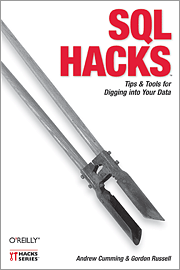
SQL Hacks

Title:SQL Hacks
First Edition: November 2006
Series: Hacks
ISBN 10: 0-596-52799-3
ISBN 13: 9780596527990
Pages: 410

Description:
Whether you're running Access, MySQL, SQL Server, Oracle, or PostgreSQL, this book will help you push the limits of traditional SQL to squeeze data effectively from your database. The book offers 100 hacks -- unique tips and tools -- that bring you the knowledge of experts who apply what they know in the real world to help you take full advantage of the expressive power of SQL. You'll find practical techniques to address complex data manipulation problems. Learn how to:

--Wrangle data in the most efficient way possible
--Aggregate and organize your data for meaningful and accurate reporting
--Make the most of subqueries, joins, and unions
--Stay on top of the performance of your queries and the server that runs them
--Avoid common SQL security pitfalls, including the dreaded SQL injection attack

Let SQL Hacks serve as your toolbox for digging up and manipulating data. If you love to tinker and optimize, SQL is the perfect technology and SQL Hacks is the must-have book for you.


Sample Chapter
A sample chapter is available: Hack 4: Date Handling (PDF Format)

Table Of Contents:
Chapter 1. SQL Fundamentals
1. Run SQL from the Command Line
2. Connect to SQL from a Program
3. Perform Conditional INSERTs
4. UPDATE the Database
5. Solve a Crossword Puzzle Using SQL
6. Don't Perform the Same Calculation Over and Over

Chapter 2. Joins, Unions, and Views
7. Modify a Schema Without Breaking Existing Queries
8. Filter Rows and Columns
9. Filter on Indexed Columns
10. Convert Subqueries to JOINs
11. Convert Aggregate Subqueries to JOINs
12. Simplify Complicated Updates
13. Choose the Right Join Style for Your Relationships
14. Generate Combinations

Chapter 3. Text Handling
15. Search for Keywords Without LIKE
16. Search for a String Across Columns
17. Solve Anagrams
18. Sort Your Email

Chapter 4. Date Handling
19. Convert Strings to Dates
20. Uncover Trends in Your Data
21. Report on Any Date Criteria
22. Generate Quarterly Reports
23. Second Tuesday of the Month

Chapter 5. Number Crunching
24. Multiply Across a Result Set
25. Keep a Running Total
26. Include the Rows Your JOIN Forgot
27. Identify Overlapping Ranges
28. Avoid Dividing by Zero
29. Other Ways to COUNT
30. Calculate the Maximum of Two Fields
31. Disaggregate a COUNT
32. Cope with Rounding Errors
33. Get Values and Subtotals in One Shot
34. Calculate the Median
35. Tally Results into a Chart
36. Calculate the Distance Between GPS Locations
37. Reconcile Invoices and Remittances
38. Find Transposition Errors
39. Apply a Progressive Tax
40. Calculate Rank

Chapter 6. Online Applications
41. Copy Web Pages into a Table
42. Present Data Graphically Using SVG
43. Add Navigation Features to Web Applications
44. Tunnel into MySQL from Microsoft Access
45. Process Web Server Logs
46. Store Images in a Database
47. Exploit an SQL Injection Vulnerability
48. Prevent an SQL Injection Attack

Chapter 7. Organizing Data
49. Keep Track of Infrequently Changing Values
50. Combine Tables Containing Different Data
51. Display Rows As Columns
52. Display Columns As Rows
53. Clean Inconsistent Records
54. Denormalize Your Tables
55. Import Someone Else's Data
56. Play Matchmaker
57. Generate Unique Sequential Numbers

Chapter 8. Storing Small Amounts of Data
58. Store Parameters in the Database
59. Define Personalized Parameters
60. Create a List of Personalized Parameters
61. Set Security Based on Rows
62. Issue Queries Without Using a Table
63. Generate Rows Without Tables

Chapter 9. Locking and Performance
64. Determine Your Isolation Level
65. Use Pessimistic Locking
66. Use Optimistic Locking
67. Lock Implicitly Within Transactions
68. Cope with Unexpected Redo
69. Execute Functions in the Database
70. Combine Your Queries
71. Extract Lots of Rows
72. Extract a Subset of the Results
73. Mix File and Database Storage
74. Compare and Synchronize Tables
75. Minimize Bandwidth in One-to-Many Joins
76. Compress to Avoid LOBs

Chapter 10. Reporting
77. Fill in Missing Values in a Pivot Table
78. Break It Down by Range
79. Identify Updates Uniquely
80. Play Six Degrees of Kevin Bacon
81. Build Decision Tables
82. Generate Sequential or Missing Data
83. Find the Top n in Each Group
84. Store Comma-Delimited Lists in a Column
85. Traverse a Simple Tree
86. Set Up Queuing in the Database
87. Generate a Calendar
88. Test Two Values from a Subquery
89. Choose Any Three of Five

Chapter 11. Users and Administration
90. Implement Application-Level Accounts
91. Export and Import Table Definitions
92. Deploy Applications
93. Auto-Create Database Users
94. Create Users and Administrators
95. Issue Automatic Updates
96. Create an Audit Trail

Chapter 12. Wider Access
97. Allow an Anonymous Account
98. Find and Stop Long-Running Queries
99. Don't Run Out of Disk Space
100. Run SQL from a Web Page


And for $19.79 on Amazon this is a great gift

Sunday, January 21, 2007

Visual Basic 2005 Cookbook


Title: Visual Basic 2005 Cookbook
Subtitle: Solutions for VB 2005 Programmers
First Edition: September 2006
Series: Cookbooks
ISBN 10: 0-596-10177-5
ISBN 13: 9780596101770
Pages: 740

Description
This book will help you solve more than 300 of the most common and not-so-common tasks that working Visual Basic 2005 programmers face every day. If you're a seasoned .NET developer, beginning Visual Basic programmer, or a developer seeking a simple and clear migration path from VB6 to Visual Basic 2005, the Visual Basic 2005 Cookbook delivers a practical collection of problem-solving recipes for a broad range of Visual Basic programming tasks.
The concise solutions and examples in the Visual Basic 2005 Cookbook range from simple tasks to the more complex, organized by the types of problems you need to solve. Nearly every recipe contains a complete, documented code sample showing you how to solve the specific problem, as well as a discussion of how the underlying technology works and that outlines alternatives, limitations, and other considerations. As with all O'Reilly Cookbooks, each recipe helps you quickly understand a problem, learn how to solve it, and anticipate potential tradeoffs or ramifications.


Useful features of the book include:

  • Over 300 recipes written in the familiar O'Reilly Problem-Solution-Discussion format
  • Hundreds of code snippets, examples, and complete solutions available for download
  • VB6 updates to alert VB6 programmers to code-breaking changes in Visual Basic 2005
  • Recipes that target Visual Basic 2005 features not included in previous releases
  • Code examples covering everyday data manipulation techniques and language fundamentals
  • Advanced projects focusing on multimedia and mathematical transformations using linear algebraic methods
  • Specialized topics covering files and file systems, printing, and databases

In addition, you'll find chapters on cryptography and compression, graphics, and special programming techniques. Whether you're a beginner or an expert, the Visual Basic 2005 Cookbook is sure to save you time, serving up the code you need, when you need it.

Preface

1. Visual Basic Programming
1.1 Creating a Windows Forms Application
1.2 Creating a Console Application
1.3 Creating an ASP.NET Web Forms Application

2. The Development Environment
2.1 Discovering and Using a Code Snippet
2.2 Creating a New Snippet
2.3 Sharing Snippets
2.4 Adding Snippet Files to Visual Studio
2.5 Getting an Application's Version Number
2.6 Letting Visual Studio Automatically Update an Application's Version Number
2.7 Setting the Startup Form for an Application
2.8 Setting the Startup to a Sub Main Procedure
2.9 Getting an Application's Command Line
2.10 Testing an Application's Command Line
2.11 Obfuscating an Application
2.12 Determining if an Application Is Running in the Visual Studio Environment
2.13 Accessing Environment Variables
2.14 Accessing the Registry
2.15 Getting System Information
2.16 Getting the User's Name

3. Application Organization
3.1 Creating a Code Module
3.2 Creating a Class
3.3 Creating a Structure
3.4 Creating Other Item Types
3.5 Creating Object Instances
3.6 Initializing a Class Instance with Data
3.7 Releasing an Instance's Resources
3.8 Using Namespaces
3.9 Splitting a Class Across Multiple Files
3.10 Creating a Form Based on Another Form
3.11 Passing and Returning Structures and Other Objects
3.12 Creating and Using an Enumeration
3.13 Converting Between Numeric and String Enumeration Values
3.14 Creating a Method That Accepts Different Sets of Arguments
3.15 Using Standard Operators for Nonstandard Purposes
3.16 Enforcing Strong Data Typing in an Otherwise Weakly Typed Collection

4. Forms, Controls, and Other Useful Objects
4.1 Creating and Adding Controls at Runtime
4.2 Iterating Through All Controls on a Form
4.3 Sharing Event-Handler Logic Among Many Controls
4.4 Working with Timers
4.5 Determining if a Control Can Take the Focus
4.6 Programmatically Clicking a Button
4.7 Drawing a Control
4.8 Making a Form the Top-Most Form
4.9 Indicating the Accept and Cancel Buttons on a Form
4.10 Remembering a Form's Position Between Uses
4.11 Attaching a Control to the Edge of a Form
4.12 Moving or Resizing Controls as a Form Resizes
4.13 Limiting the Sizing of a Form
4.14 Centering a Form
4.15 Creating and Moving a Borderless Form
4.16 Creating a Fading Form
4.17 Creating a Nonrectangular Form
4.18 Changing Menus at Runtime
4.19 Creating Shortcut Menus

5. Strings
5.1 Using a StringBuilder
5.2 Creating a String of N Identical Characters
5.3 Creating a String by Repeating a String N Times
5.4 Obfuscating a String
5.5 Converting Binary Data to a Hexadecimal String
5.6 Extracting Substrings from Larger Strings
5.7 Converting a String's Case
5.8 Comparing Strings with Case Sensitivity
5.9 Comparing Strings Without Case Sensitivity
5.10 Converting Strings to and from Character Arrays
5.11 Converting Strings to and from Byte Arrays
5.12 Tallying Characters
5.13 Counting Words
5.14 Removing Extra Whitespace
5.15 Using the Correct End-of-Line Characters
5.16 Replacing Substrings
5.17 Inserting a Character or String
5.18 Inserting a Line
5.19 Double-Spacing a String
5.20 Formatting Numbers into Strings
5.21 Trimming Sets of Characters from a String
5.22 Identifying and Validating Types of Data in a String
5.23 Converting Strings Between Encoding Systems
5.24 Determining a Character's Type
5.25 Parsing Strings
5.26 Concatenating Strings
5.27 Speeding Up String Manipulation
5.28 Counting Occurrences of a Substring
5.29 Padding a String for Exact Length and Alignment
5.30 Converting Tabs to Spaces
5.31 Reversing a String
5.32 Shuffling a String
5.33 Using a Simple String Encryption
5.34 Converting a String to Morse Code
5.35 Adding Strings to an Application's Resources
5.36 Converting Any Data to a String
5.37 Using Regular Expressions to Extract All Numbers
5.38 Getting a Count of Regular Expression Matches
5.39 Getting the Nth Regular Expression Match
5.40 Compiling Regular Expressions for Speed
5.41 Using Regular Expressions to Validate Data
5.42 Using Regular Expressions to Count Characters, Words, or Lines
5.43 Converting a String to and from Base64
5.44 Splitting a String
5.45 Creating a String of Space Characters

6. Numbers and Math
6.1 Using Compact Operator Notation
6.2 Choosing Integers of the Right Size and Type for the Job
6.3 Using Unsigned Integers
6.4 Swapping Two Integers Without Using a Third
6.5 Using Single- and Double-Precision Variables
6.6 Using Decimal Variables for Maximum Precision
6.7 Converting Between Number Types
6.8 Rounding Numbers Accurately
6.9 Declaring Loop Counters Within Loops
6.10 Converting Between Radians and Degrees
6.11 Limiting Angles to a Range
6.12 Creating Double-Precision Point Variables
6.13 Converting Between Rectangular and Polar Coordinates
6.14 Creating Three-Dimensional Variables
6.15 Converting Between Rectangular, Spherical, and Cylindrical Coordinates
6.16 Working with Complex Numbers
6.17 Solving Right Triangles
6.18 Solving Any Triangle
6.19 Determining if a String Contains a Valid Number
6.20 Converting Numbers to Integers
6.21 Calculating p to Thousands of Digits
6.22 Getting a Number's Prime Factors
6.23 Using Recursion to Calculate Factorials
6.24 Manipulating Bits with Bitwise Operators
6.25 Storing and Retrieving Bits in a BitArray
6.26 Enhancing the Random Number Generator
6.27 Generating Random Integers in a Range
6.28 Generating Random Real Numbers in a Range
6.29 Generating Normal-Distribution Random Numbers
6.30 Generating Exponential-Distribution Random Numbers
6.31 Creating a Matrix
6.32 Inverting a Matrix
6.33 Calculating the Determinant of a Matrix
6.34 Solving Simultaneous Equations
6.35 Listing of the MatrixHelper Class

7. Dates and Times
7.1 Getting the System Date and Time
7.2 Accessing the System's Time Zone
7.3 Using System Ticks
7.4 Timing Application Activities
7.5 Calculating Elapsed Time Using Ticks
7.6 Calculating Elapsed Time with the Stopwatch
7.7 Extracting Year, Month, and Day Numbers from a Date Value
7.8 Extracting Hour, Minute, and Second Numbers from a Date Value
7.9 Creating a Date or Time Value from Its Parts
7.10 Formatting Dates and Times
7.11 Parsing and Validating Dates and Times
7.12 Adding to Dates and Times
7.13 Subtracting from Dates and Times
7.14 Determining the Number of Days Between Two Dates
7.15 Determining the Day of the Week for a Date
7.16 Determining the Day of the Year for a Date
7.17 Determining the Number of Days in a Month
7.18 Using Controls to Enter or Select a Date
7.19 Calculating the Phase of the Moon
7.20 Creating a Calendar
7.21 Checking for Leap Years
7.22 Dates and Times in ISO 8601 Formats

8. Arrays and Collections
8.1 Filling an Array While Declaring It
8.2 Sorting Array Elements
8.3 Reversing an Array
8.4 Inserting into an Array
8.5 Shuffling an Array
8.6 Swapping Two Array Values
8.7 Resizing Arrays Without Losing Existing Values
8.8 Quickly Copying Part of an Array into Another
8.9 Writing a Comma-Separated-Values File from a String Array
8.10 Reading a Comma-Separated-Values File into a String Array
8.11 Using a Multivalue Array Instead of a Two-Dimensional Array
8.12 Converting Between Delimited Strings and Arrays
8.13 Formatting an Array as a Single String
8.14 Iterating Through Array Elements
8.15 Passing Arrays to Methods
8.16 Returning Arrays from Functions
8.17 Creating a Collection
8.18 Inserting an Item into a Collection
8.19 Deleting a Collection Item
8.20 Iterating Through a Collection

9. Graphics
9.1 Creating Graphics Objects
9.2 Drawing on Controls for Special Effects
9.3 Letting the User Select a Color
9.4 Working with Coordinate Systems (Pixels, Inches, Centimeters)
9.5 Creating a Bitmap
9.6 Setting a Background Color
9.7 Drawing Lines, Ellipses, and Rectangles
9.8 Drawing Lines One Pixel Wide Regardless of Scaling
9.9 Forcing a Form or Control to Redraw
9.10 Using Transparency
9.11 Scaling with Transforms
9.12 Using an Outline Path
9.13 Using Gradients for Smooth Color Changes
9.14 Drawing Bezier Splines
9.15 Drawing Cardinal Splines
9.16 Limiting Display Updates to Specific Regions
9.17 Drawing Text
9.18 Rotating Text to Any Angle
9.19 Mirroring Text on the Canvas
9.20 Getting the Height and Width of a Graphic String
9.21 Drawing Text with Outlines and Drop Shadows
9.22 Calculating a Nice Axis
9.23 Drawing a Simple Chart
9.24 Creating Odd-Shaped Forms and Controls
9.25 Using the RGB, HSB (HSV), and HSL Color Schemes
9.26 Creating a Rubber-Band Rectangular Selection
9.27 Animating with Transparency
9.28 Substitutions for Obsolete Visual Basic 6.0 Features

10. Multimedia
10.1 Playing an Audio File
10.2 Displaying Image Files
10.3 Playing a Video File
10.4 Making Your Computer Beep
10.5 Creating an Animation Using Multiple Images
10.6 Creating an Animation by Generating Multiple Bitmaps
10.7 Creating an Animation by Drawing at Runtime
10.8 Creating Animated Sprites
10.9 Resizing and Compressing JPEG Files
10.10 Getting JPEG Extended Information
10.11 Creating Thumbnails
10.12 Displaying Images While Controlling Stretching and Sizing
10.13 Scrolling Images
10.14 Merging Two or More Images
10.15 Using Resource Images
10.16 Capturing an Image of the Screen
10.17 Getting Display Dimensions
10.18 Speeding Up Image Processing
10.19 Converting an Image to Grayscale
10.20 Performing Edge Detection on an Image
10.21 Full Listing of the LockImage Class

11. Printing
11.1 Enumerating Printers
11.2 Sending "Raw" Data to a Printer
11.3 Get Details About the Default Printer
11.4 Creating a Print Preview
11.5 Prompting for Printed Page Settings
11.6 Drawing Text and Graphics to a Printer
11.7 Determining the Print Destination
11.8 Creating Graph Paper

12. Files and File Systems
12.1 Enumerating Drives
12.2 Determining if a Directory Exists
12.3 Creating a New Directory
12.4 Copying Directories
12.5 Moving Directories
12.6 Renaming Directories
12.7 Parsing File and Directory Paths
12.8 Searching Iteratively Through Directories and Subdirectories
12.9 Finding Directories and Files Using Wildcards
12.10 Determining if a File Exists
12.11 Getting and Setting File Attributes
12.12 Accessing Special User and Windows Directories
12.13 Determining the Space on a Drive
12.14 Browsing for a Directory
12.15 Getting File Information
12.16 Using File-Access Methods
12.17 Reading and Writing Files as Strings
12.18 Reading and Writing Binary Files
12.19 Copying or Moving a File
12.20 Sending a File to the Recycle Bin
12.21 Creating a Temporary File
12.22 Calculating a Checksum for a File
12.23 Comparing Two Files for Equality
12.24 Locking a File During Access
12.25 Reading from a File at a Specific Position
12.26 Reading and Writing Objects in a File
12.27 Creating a Comma-Separated-Values File

13. Databases
13.1 Connecting to a Data Provider
13.2 Issuing SQL Commands
13.3 Retrieving Results from a Database Query
13.4 Using SQL Parameters
13.5 Using Stored Procedures
13.6 Using Transactions
13.7 Storing the Results of a Query in Memory
13.8 Creating In-Memory Data Tables Manually
13.9 Writing In-Memory Data Tables to an XML File
13.10 Reading an XML File into In-Memory Data Tables

14. Special Programming Techniques
14.1 Preventing Multiple Instances of a Running Application
14.2 Creating a Simple User Control
14.3 Describing User Control Properties
14.4 Starting Other Applications by EXE, Document, or URL
14.5 Waiting for Applications to Finish
14.6 List All Running Processes
14.7 Terminating a Running Process
14.8 Pausing Execution of a Program
14.9 Control Applications by Simulating Keystrokes
14.10 Watching for File and Directory Changes
14.11 Creating an Icon in the System Tray
14.12 Accessing the Clipboard
14.13 Adding Tooltips to Controls
14.14 Dragging and Dropping Files to a ListBox
14.15 Dragging and Dropping Between ListBox Controls
14.16 Disposing of Objects Appropriately
14.17 Fine-Tuning Garbage Collection
14.18 Moving the (Mouse) Cursor
14.19 Intercepting All Key Presses on a Form
14.20 Accessing the Registry
14.21 Running Procedures in Threads
14.22 Reading XML into a TreeView
14.23 Creating an XML Document
14.24 Validating an XML Document
14.25 Using Generic Collections
14.26 Creating a Screensaver
14.27 Localizing the Controls on a Form
14.28 Adding Pop-up Help to Controls
14.29 Maintaining User-Specific Settings Between Uses of an Application
14.30 Verifying a Credit Card Number
14.31 Capturing a Console Application's Output
14.32 Reading an Assembly's Details
14.33 Performing Serial I/O
14.34 Rebooting the System

15. Exceptions
15.1 Catching an Exception
15.2 Throwing an Exception
15.3 Catching Unhandled Exceptions
15.4 Displaying Exception Information
15.5 Creating New Exception Types
15.6 Ignoring Exceptions in a Block of Code
16. Cryptography and Compression

16.1 Generating a Hash
16.2 Encrypting and Decrypting a String
16.3 Encrypting and Decrypting a File
16.4 Prompting for a Username and Password
16.5 Handling Passwords Securely
16.6 Compressing and Decompressing a String
16.7 Compressing and Decompressing a File
16.8 Generating Cryptographically Secure Random Numbers
16.9 Complete Listing of the Crypto.vb Module
16.10 Complete Listing of the Compress.vb Module

17. Web Development
17.1 Displaying Web Pages on a Form
17.2 Accessing Content Within an HTML Document
17.3 Getting All Links from a Web Page
17.4 Get the Local Computer's IP Address
17.5 Resolving a Host Name or IP Address for Another Computer
17.6 Pinging an IP Address
17.7 Using FTP to Download Files
17.8 Calling a Web Service
17.9 Sending Email Using SMTP
17.10 Getting POP3 Emails
17.11 Sending a Message to Another Computer
17.12 Adding Hyperlinks to a (Desktop) Form

Index

Sample Chapter: Chapter 4: Forms, Controls, and Other Useful Objects (PDF Format)
Amazon Link: Visual Basic 2005 Cookbook